








If you've ever started a new Next.js project and thought, "I just need a simple contact form," you know it's really never that simple.
You end up rebuilding the same stuff every time: the form UI, loading states, success messages, validation, and a way to actually send emails without exposing your API keys.
That's why I built the Keplars Next.js Contact Form Starter.
You copy a few files, add your Keplars API key, and you're done. After that, you can tweak the UI to match your style without dealing with form libraries you don't need.
Why I used Keplars for this starter
Keplars is built for developers who want to send emails without the complex setup.
But here's the real reason I picked it for this starter: if you can build a contact form with Keplars, you already know how to handle all your product emails.
Once you get this working, you can use the same approach for:
- OTP codes and verification emails
- Password resets
- Order confirmations
- Welcome emails
- Notifications
The integration is smooth, and you're not locked into some complicated email service. You learn it once with this contact form, then you use it everywhere in your product.
Plus, Keplars gives you email templates you can customize, or you can just describe what you want in natural language, and AI drafts the template for you. No more writing HTML emails from scratch.
And with built-in analytics and reporting, you can easily confirm your emails are going through while you're testing.
What we're building
By the end of this, you'll have a working contact form in your Next.js App Router project that sends emails using Keplars.
You'll also get:
- Loading states and success/error feedback
- Basic bot protection (honeypot field)
- No heavy form libraries
Most importantly, you own the code. You can copy it into your next project and restyle it however you want.
What you need before starting
- A Next.js project (App Router)
- A Keplars account + API key
- Node.js installed
- A .env.local file in your project
Optional: A Discord webhook URL, if you want instant notifications when someone submits the form
Step 1: Get your Keplars API key
To send emails, you need a Keplars account and an API key.
We'll store it server-side so it never gets exposed to the browser.
What to do:
1. Go to keplars.com and create an account
2. Generate an API key from your dashboard
3. Copy the key somewhere safe, as you'll need it in the next step
Why this matters: This API key is how your Next.js server talks to Keplars to send the email after someone submits your form.
Step 2: Add your environment variables
Now we'll store your Keplars API key and the email that should receive contact messages in a .env.local file.
This keeps your secrets safe and makes it easy to swap keys later without touching your code.
Create .env.local:
In your project root (same level as package.json), create a file named .env.local and add your KEPLARS_API_KEY and CONTACT_EMAIL.
Quick checks:
- Restart your dev server after adding these
- Don't commit .env.local to GitHub
- Make sure CONTACT_EMAIL is a real inbox you can test
Step 3: Copy the starter files into your project
Now you'll copy the starter kit files into your Next.js project.
No package installs, no setup, just code you can read and edit.
Copy these files from the starter repo:
Logic (server + types):
- types/index.ts
- lib/keplars.ts
- app/actions.ts
UI components:
- components/keplars/ (the contact form, submit button, and toast UI)
What each part does:
- app/actions.ts: Server Actions that handle the submit and call Keplars
- lib/keplars.ts: Simple Keplars API wrapper
- components/keplars/*: The UI you'll customize
Step 4: Drop the form into your page
Create a page (or use an existing one) and render the form component.
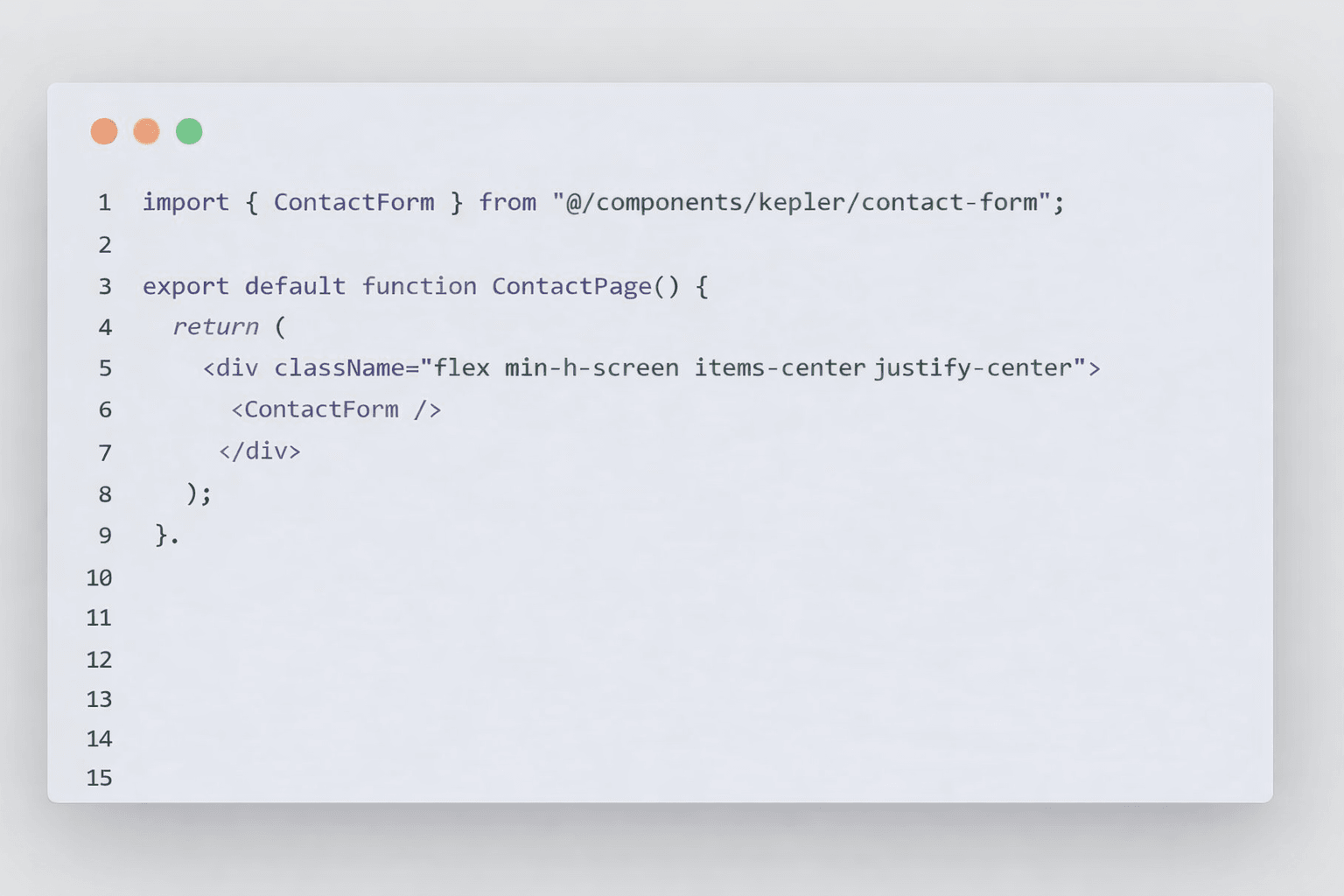
Note: If your project doesn't use the @/ import alias, just use a relative path like ../../components/keplars/contact-form.
Step 5: Test it locally
Time to make sure everything works.
Checklist:
1. Start your dev server
2. Open the contact page in your browser
3. Submit a test message
4. Confirm:
- You see a success message
- The email arrives at your CONTACT_EMAIL
If it fails, check these:
- KEPLARS_API_KEY is missing or wrong in .env.local
- You didn't restart the server after adding the env vars
- CONTACT_EMAIL isn't a real inbox
Optional: Add Discord/Slack notifications
If you want instant notifications when someone submits the form, add a webhook.
Steps:
1. Create a webhook in Discord (or Slack) and copy the URL
2. Add it to .env.local as DISCORD_WEBHOOK_URL
3. Submit the form again and confirm that you get the notification
How spam protection works
This starter uses a honeypot. It's a hidden field that real people won't fill, but bots will.
If that hidden field has a value, we treat it as spam. No annoying CAPTCHA needed.
Make it match your style
This is where form libraries usually get annoying. With this starter, it's simple.
Easy changes:
- Update Tailwind classes in components/keplars/contact-form.tsx to match your brand or project
- Add or remove fields and update the types in types/index.ts
- Don't want toast notifications? Remove them and show inline success/error text instead
One rule: Never move the email-sending logic to the client-keep it in the server action so your API key stays private.
Deploying
When you deploy (Vercel or wherever), add the same environment variables in your hosting dashboard.
After deploying, submit a test message to confirm production delivery works.
Demo Mode (for public demos):
I added a Demo Mode feature to the starter so my live demo doesn't flood my inbox with test submissions.
When NEXT_PUBLIC_DEMO_MODE is set to "true", the form pretends to send the email (with a fake 1-second delay) but doesn't actually call Keplars.
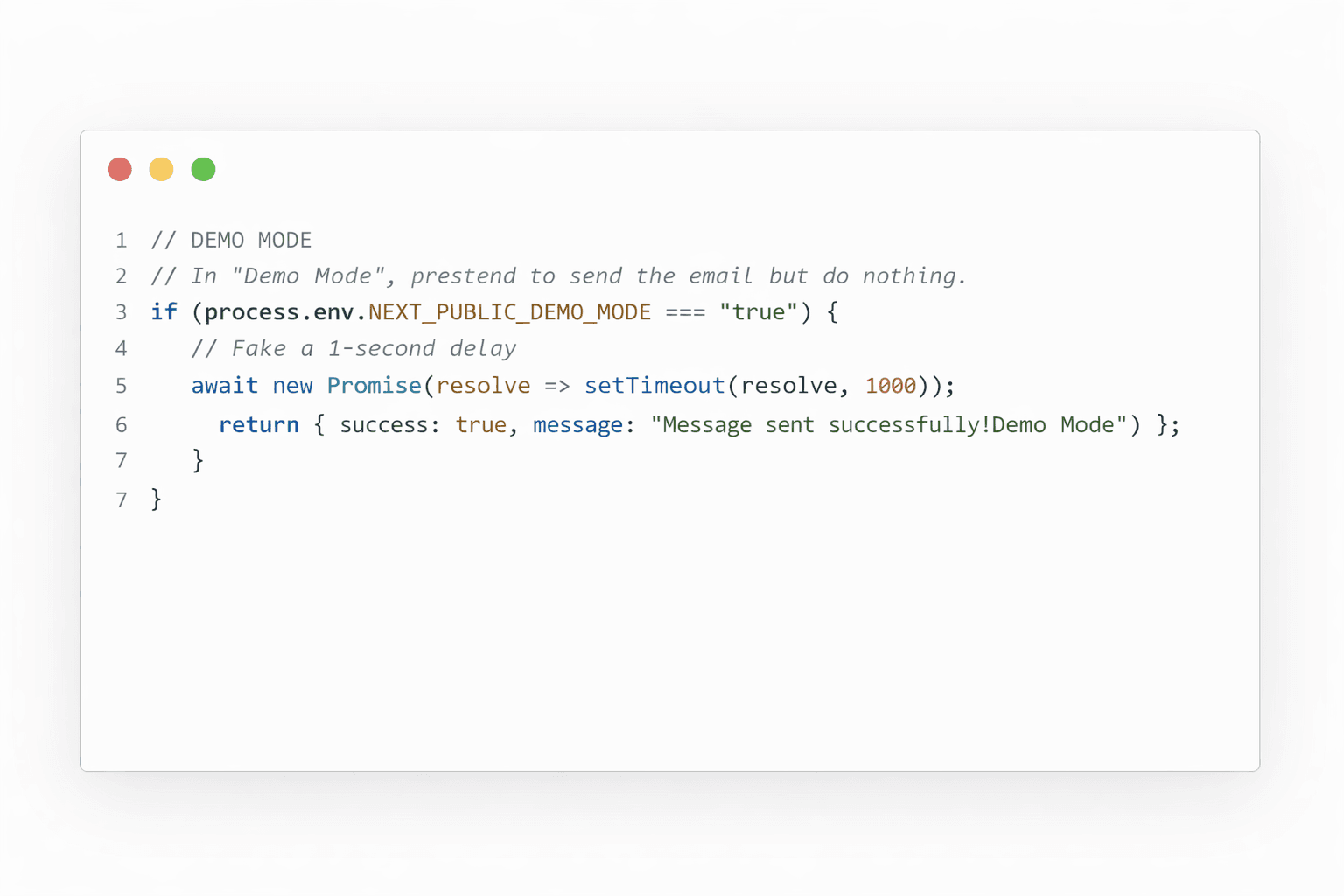
To enable Demo Mode on Vercel (or your hosting platform):
1. Go to your project settings
2. Add NEXT_PUBLIC_DEMO_MODE as an environment variable
3. Set it to "true"
4. Redeploy
You'll see this in the code. Remove it for your actual projects (or just don't set the env var) or you'll wonder why emails aren't sending.
I only use it for the live demo, so random people testing it don't spam my inbox.
That's it
You now have a production-ready contact form you can reuse by copying a few files, adding your Keplars key, and styling it however you want.
Ideas for later:
- Add rate limiting for extra bot protection
- Store submissions in a database
- Add file upload support
If this helped you ship faster, leave a star on GitHub - it helps more people find it.